01
Markdown workspace
Notes can be written as plain Markdown, previewed for reading, and navigated by headings when documents become long enough to need structure.
Nota Notebook is a private writing workspace built around one shared React interface, zero-knowledge web sync, account-free desktop files, recovery flows, saved versions, search, and long-document navigation.
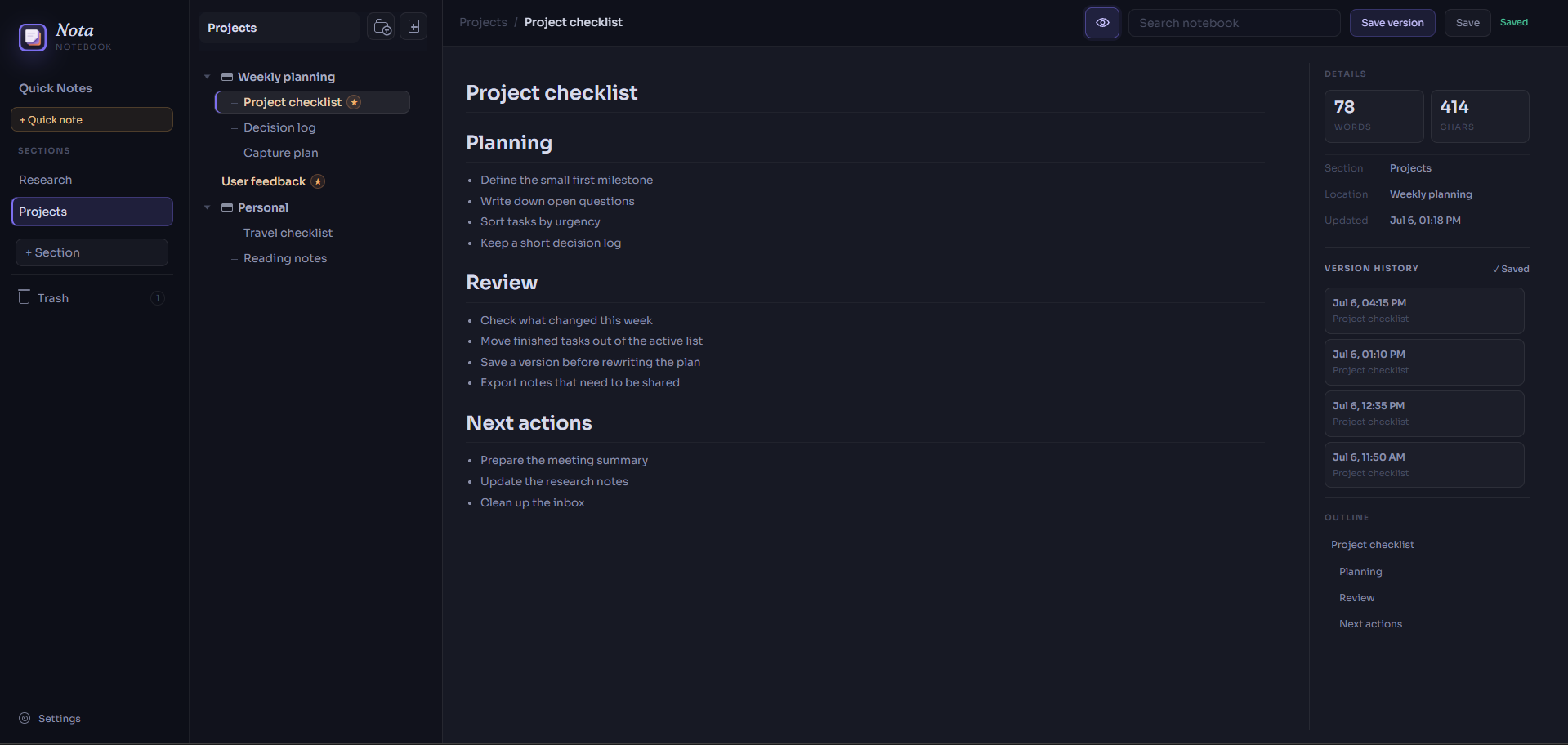
The project combines a calm writing interface with platform-specific storage, explicit recovery behavior, and production-minded operational boundaries.
Editor, Markdown preview, outline navigation, folders, sections, pages, search, trash, snapshots, export, themes, and responsive workspace behavior implemented once for both delivery targets.
Email sign-in authorizes encrypted storage, but recovery or an already trusted browser is required to unlock the notebook key. The server stores account data, sessions, and an encrypted notebook blob, not plaintext notes.
The desktop target starts offline, avoids web unlock screens, and saves compatible local JSON notebooks through a restricted Electron bridge with native open and create dialogs.
Production guardrails cover auth abuse limits, cleanup scheduling, version-only sync polling, hidden-tab slowdown, browser and API security headers, privacy-safe logging, D1 backup, and rollback procedures.
The product surface is intentionally quiet: fast capture first, then deeper tools only when a note, folder, or writing session needs them.
Notes can be written as plain Markdown, previewed for reading, and navigated by headings when documents become long enough to need structure.
Sections, folders, root pages, important notes, search, trash, and export keep everyday notes manageable without turning capture into filing work.
The web app encrypts notebook data before sync, while the desktop app stays account-free and saves portable local notebook files.
Short clips show the features that are easiest to miss in a static screenshot: jumping through long notes, previewing Markdown, searching, and restoring saved versions.
The editor keeps writing plain and precise, then switches into a cleaner reading view when needed.
Snapshots preserve important drafts so notes can move forward without losing earlier work.
Search helps recover notes even when the user remembers the topic better than the folder.
Headings become a map for moving through long Markdown documents without manual scrolling.
The shared React workspace owns ordinary notebook behavior. Startup, unlock, sync, and file access are handled by platform-specific adapters.
The browser encrypts the notebook before sync. Email authentication grants access to encrypted storage, while recovery keys and trusted browsers control access to the notebook key.
The desktop target opens directly into the notebook, requires no account, and saves local JSON files through a narrow Electron bridge.
The case study is strongest where the implementation had to make privacy, recovery, offline use, and launch readiness explicit.
Editor behavior, notebook state, search, snapshots, and Markdown tools live in one interface. Web and desktop differences stay in startup and storage services.
Email login proves account ownership, but it does not decrypt notes. Recovery or a trusted browser unlocks the notebook key.
Wrong keys, cleared browser storage, corrupted trusted-device records, lost-key states, logout behavior, and recovery-key replacement are handled as visible product flows.
The server cannot inspect encrypted notebooks to merge them. Multi-browser edits use version checks, conservative refresh or merge behavior, and blocking recovery for unsafe overlaps.
Build a private writing app that feels calm enough for everyday notes while still handling long documents, saved versions, web sync, desktop files, and recovery.
Keep the desktop app account-free and offline while preserving the same editor, folders, search, snapshots, and Markdown behavior used by the web app.
Generate a browser-side vault key, encrypt the notebook locally, protect the vault key with recovery and trusted-browser material, and keep plaintext notes and keys out of the backend.
Exercised first sign-in, recovery-key confirmation, encrypted save, refresh, expired-session return, trust removal, wrong-key rejection, new-browser recovery, corrupt-device fallback, and recovery-key replacement.
Multi-browser testing covered clean remote updates, forced stale states, independent edits, unsafe overlaps, and desynchronization attempts.
Local production hardening includes auth abuse controls, cleanup jobs, privacy-safe log checks, security headers, version-only polling, and operational recovery documentation.
A writing tool that supports quick notes, long Markdown documents, local desktop files, encrypted web sync, recovery, and conflict-aware multi-browser behavior without maintaining two separate notebook interfaces.